
Codex CLI with EU Models: Run Kimi K3, GLM 5.3 and DeepSeek V4.1 Flash Through a Custom Provider
 Niklas KarolyFounder Nodion
In short
- Codex CLI runs against the Nodion AI Gateway with a custom provider in
~/.codex/config.toml: base URLhttps://api.nodion.ai/v1,env_key = "NODION_AI_KEY"andwire_api = "responses", the only wire API Codex still accepts. - The gateway routes only to providers based in the EU, all serving with zero data retention, and Codex calls Kimi K3, GLM 5.3 and DeepSeek V4.1 Flash with your Nodion API key, with no account at the providers.
- Codex does not know these model ids and falls back to a 272,000-token context window, below the catalog value; since Codex 0.134.0 every profile is a separate file in ~/.codex, and a project .codex/config.toml cannot set the provider.
- Nodion's
/v1/responsesis stateless: Codex sends the whole conversation with every request, web search works and no response is stored; details are in the AI API reference.
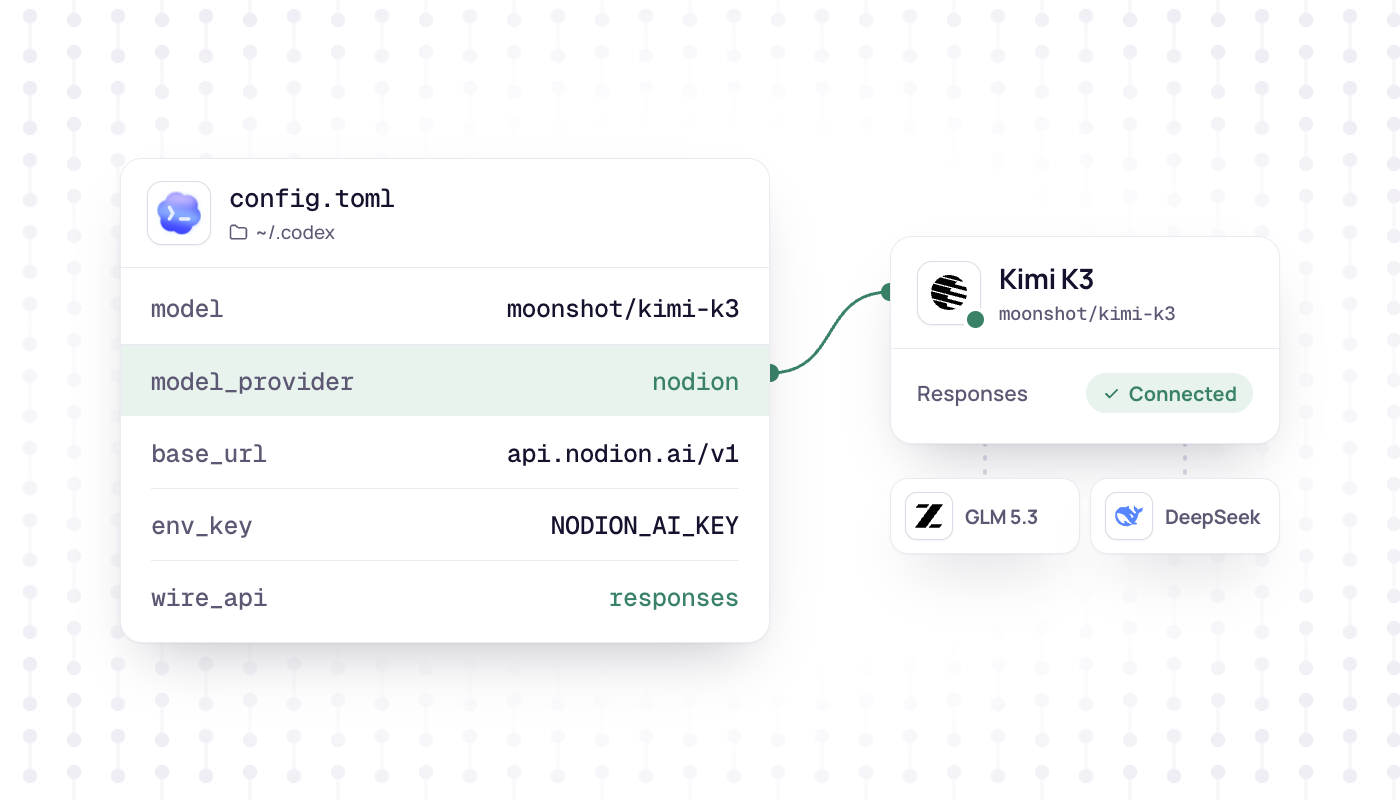
Codex CLI can talk to any provider that serves the OpenAI Responses API. The Nodion AI Gateway at https://api.nodion.ai/v1 offers /v1/responses, so one provider block in ~/.codex/config.toml is enough to run Codex with Kimi K3, GLM 5.3 or DeepSeek V4.1 Flash. The gateway routes only to providers based in the EU, all serving with zero data retention. You need no account with those providers: Codex calls everything with your Nodion API key.
This guide follows the Codex docs as of release 0.165.0 (October 2026).
What you need
- A Nodion account and a project with AI Inference.
- An API key: an inference key from AI Inference → Keys (it starts with
nodion_ai_and is shown once), or a key you create on your AI Coding Plan. Keys for the Nodion platform API do not work here. - Credit in the prepaid wallet, unless the key is on a coding plan.
- Codex CLI. The profile files further down need 0.134.0 or later.
Set the key in the shell that runs Codex:
export NODION_AI_KEY=nodion_ai_your_keyAdd Nodion as a custom provider
Open ~/.codex/config.toml and add:
# ~/.codex/config.toml
model = "moonshot/kimi-k3"
model_provider = "nodion"

[model_providers.nodion]
name = "Nodion"
base_url = "https://api.nodion.ai/v1"
env_key = "NODION_AI_KEY"
wire_api = "responses"modelis the model id from the Nodion catalog, slash included.model_providerselects the block below. The idsopenai,ollamaandlmstudioare reserved, so the provider needs its own id.env_keynames the environment variable with the key. Custom providers skip the OpenAI login unless you setrequires_openai_auth.wire_api = "responses"is the only value Codex accepts, and the default. Codex rejects older configs withwire_api = "chat"when it reads them:`wire_api = "chat"` is no longer supported.
Sources, checked October 2026: Codex config reference, discussion #7782, model-provider-info.
Choose a model
Three chat models from the AI Coding Plans list, all with tools and reasoning:
| Model | Id | Input | Context (catalog) | Max output |
|---|---|---|---|---|
| Kimi K3 | moonshot/kimi-k3 | Text, image, video | 1,048,576 | 32,768 |
| GLM 5.3 | z-ai/glm-5.3 | Text | 1,048,576 | 131,072 |
| DeepSeek V4.1 Flash | deepseek/deepseek-v4.1-flash | Text, image | 1,048,576 | 393,216 |
Switch for one session with -m (--model); the provider stays the one from your config:
codex -m z-ai/glm-5.3
codex -m deepseek/deepseek-v4.1-flash
Profiles are separate files now
Since Codex 0.134.0, --profile no longer reads [profiles.name] tables from config.toml. Each profile is its own file, ~/.codex/<name>.config.toml, with top-level keys that Codex layers on top of your base config. Keep the provider block in config.toml and create one profile per model:
# ~/.codex/nodion-glm.config.toml
model = "z-ai/glm-5.3"
model_provider = "nodion"
codex --profile nodion-glm
codex exec --profile nodion-glm "Summarize the open TODOs in this repo"Project configs cannot set the provider
Codex reads a .codex/config.toml inside a repository for trusted projects, but it ignores model_provider and model_providers there and prints a warning at startup. So the provider block belongs in ~/.codex/config.toml or in a profile file. If your settings seem to have no effect, /debug-config shows which config layers Codex loaded.
Sources: Codex advanced config, Codex config basics, slash commands.
The context window caveat
Codex has no built-in metadata for these model ids. It reports Unknown model moonshot/kimi-k3 is used. This will use fallback model metadata. and works with a context window of 272,000 tokens. model_context_window can lower that value but not raise it. So in Codex the usable context stays below the 1,048,576 tokens the catalog lists for all three models. The warning itself is expected.
Source: model_info.rs in the Codex repository.
Check the setup
Start codex in a repository and run /status. It shows the session configuration: the active model, the approval policy, writable roots and the remaining context. That does not prove that a call went through, so send a first prompt, for example "Explain what this repository does in two sentences." If an answer arrives, the key, the base URL and the model id work. The Usage and Requests tabs in AI Inference show the traffic.
What a stateless /v1/responses means in practice
- Nothing is stored. Nodion stores no responses:
storeis ignored and the answer reportsstore: false. There is noprevious_response_id,conversationorGET /v1/responses/{id}. Codex sends the whole conversation ininputwith every request, so it does not need them. - Long sessions cost more per turn. Each request carries the conversation so far, so input tokens grow with the session. Cached input is billed at the cache price where the route reports it.
- Web search works. The gateway runs
web_searchitself through Nodion's web search and returns the query and the source URLs in aweb_search_callitem. The search returns index hits (title, URL, snippet) and opens no pages. By default at most 10 searches per response (max_tool_calls, up to 20). - Tools:
function,custom,namespaceandweb_search. Other hosted tools are rejected. - Tool outputs are text. Images and files inside tool outputs do not reach the model; a note in the text replaces them.
Billing: wallet or coding plan
A key that is not on a plan pays from the prepaid wallet: input and output tokens at the model's price. Each web search is billed like a call to the web search tool, and each model round like a chat completion. A key on an AI Coding Plan (Go, Pro or Max) uses the plan's included usage for chat and tools instead. That usage counts against a 5-hour, a weekly and a monthly window. When one is full, requests continue from the wallet only if the plan allows wallet use. Prices per model are on the model pages under AI Inference, the plans on AI Coding Plans.
Troubleshooting
- 401: the key is missing or of the wrong type. Platform keys (
nodion_…) do not work on this API. Use an inference key (nodion_ai_…) or a key from your coding plan, and check thatNODION_AI_KEYis exported in the shell that starts Codex. - 400 for a tool: hosted tools other than
web_search, such asfile_searchorcode_interpreter, are rejected with 400. So arebackground,prompt,truncation: "auto",file_idandfile_url. - 404
model not found: the model id is wrong.curl https://api.nodion.ai/v1/modelslists the exact ids and needs no key. - 402: the wallet cannot cover the request, or a spend limit was reached. Top up on the Billing tab or check the key's daily limit.
- 503: no healthy route for the model matches the project's AI settings, for example because its providers are excluded there.
Sources: AI API reference: Responses API, errors and limits, AI Inference docs, AI Coding Plans.
Next steps
- Every field of the Responses API on Nodion: AI API reference.
- Prefer OpenCode? OpenCode with Kimi K3 and GLM 5.3. For Aider, Cline and Continue: Aider, Cline and Continue with EU models.
- A monthly package for coding agents: AI Coding Plans.
Frequently asked questions
Can Codex CLI use models other than OpenAI's?
Yes. Codex supports custom providers that serve the OpenAI Responses API. With a model_providers block for https://api.nodion.ai/v1 it runs with Kimi K3, GLM 5.3 or DeepSeek V4.1 Flash through the Nodion AI Gateway, which routes only to providers based in the EU.
Does Codex CLI still support wire_api = "chat"?
No. Codex rejects wire_api = "chat" when it reads the config. "responses" is the only supported value and the default, so a custom provider has to serve the Responses API.
Why is the context window in Codex smaller than the model's?
Codex has no metadata for model ids it does not know and falls back to a 272,000-token window. The model_context_window setting can lower that value but not raise it.
Can I pay for Codex usage with an AI Coding Plan?
Yes. A key created on a Nodion AI Coding Plan uses the plan's included usage for chat and tools, counted against 5-hour, weekly and monthly windows. Keys without a plan pay from the prepaid wallet.