
OpenCode with Kimi K3, GLM 5.3 and GLM 5.3 Flash: Add an EU Custom Provider
 Niklas KarolyFounder Nodion
In short
- OpenCode uses Nodion as a custom provider: a block in
opencode.jsonwith@ai-sdk/openai-compatible, the base URLhttps://api.nodion.ai/v1and the key from{env:NODION_AI_KEY}, in the V1 config format that OpenCode 2 also accepts. - Models are referenced as provider id plus model id, for example nodion/moonshot/kimi-k3, and need limit.context and limit.output set by hand because Nodion is not listed on models.dev.
- In the Nodion catalog, Kimi K3, GLM 5.3 and GLM 5.3 Flash each have a 1,048,576-token context and the reasoning efforts low, high and max; GLM 5.3 takes text only. Prices and providers are in the AI Inference catalog.
- The Nodion AI Gateway routes only to providers based in the EU, all serving with zero data retention, and a key from an AI Coding Plan works with the same config.
OpenCode works with any OpenAI-compatible API through a custom provider in opencode.json. Point it at the Nodion AI Gateway (https://api.nodion.ai/v1) and you can code with Kimi K3, GLM 5.3 and GLM 5.3 Flash. The gateway routes only to providers based in the EU, all serving with zero data retention. You need no account with those providers: OpenCode calls everything with your Nodion API key.
A version note first: OpenCode now ships in two lines. OpenCode 1 is the current GitHub release (v1.19.5, October 2026), documented at opencode.ai/docs. OpenCode 2 is a separate install with its own docs and different native config keys. The example below uses the V1 config format. It works in the current release, and OpenCode 2 accepts it too; its migration guide says "The V1 config format remains supported."
What you need
- A Nodion account and a project with AI Inference.
- An API key: an inference key from AI Inference → Keys (it starts with
nodion_ai_and is shown once), or a key you create on your AI Coding Plan. Keys for the Nodion platform API do not work here. - Credit in the prepaid wallet, unless the key is on a coding plan.
Export the key in the shell that starts OpenCode:
export NODION_AI_KEY=nodion_ai_your_keyAdd the provider to opencode.json
Use the global file ~/.config/opencode/opencode.json or an opencode.json in the project root:
{
  "$schema": "https://opencode.ai/config.json",
  "model": "nodion/moonshot/kimi-k3",
  "provider": {
    "nodion": {
      "npm": "@ai-sdk/openai-compatible",
      "name": "Nodion",
      "options": {
        "baseURL": "https://api.nodion.ai/v1",
        "apiKey": "{env:NODION_AI_KEY}"
      },
      "models": {
        "moonshot/kimi-k3": {
          "name": "Kimi K3",
          "limit": { "context": 1048576, "output": 32768 }
        },
        "z-ai/glm-5.3": {
          "name": "GLM 5.3",
          "limit": { "context": 1048576, "output": 131072 }
        },
        "z-ai/glm-5.3-flash": {
          "name": "GLM 5.3 Flash",
          "limit": { "context": 1048576, "output": 131072 }
        }
      }
    }
  }
}npm: OpenCode's docs name@ai-sdk/openai-compatiblefor OpenAI-compatible providers on/v1/chat/completions. Stay on this route. The docs point to@ai-sdk/openaifor/v1/responses, but that AI SDK provider setsstoretotrueby default, and Nodion's Responses endpoint stores nothing.apiKey:{env:NODION_AI_KEY}reads the key from the environment. If the variable is not set, OpenCode puts in an empty string, so you get an auth error rather than a config error.models: the keys are the Nodion model ids, slash included. OpenCode refers to a model as provider id plus model id, so Kimi K3 becomesnodion/moonshot/kimi-k3. Its docs show the same nesting withlmstudio/google/gemma-3n-e4b.limit: for standard providers OpenCode pulls context and output limits from models.dev. Nodion has no entry there (checked 29 October 2026), so set both by hand from the catalog. They tell OpenCode how much context is left.
Instead of {env:...} you can store the key with /connect: scroll to Other, enter the provider id nodion and paste the key. You still need the provider block in opencode.json.
Sources, checked October 2026: OpenCode providers, models, config, OpenCode 2 providers, AI SDK OpenAI provider, models.dev.
Select the model
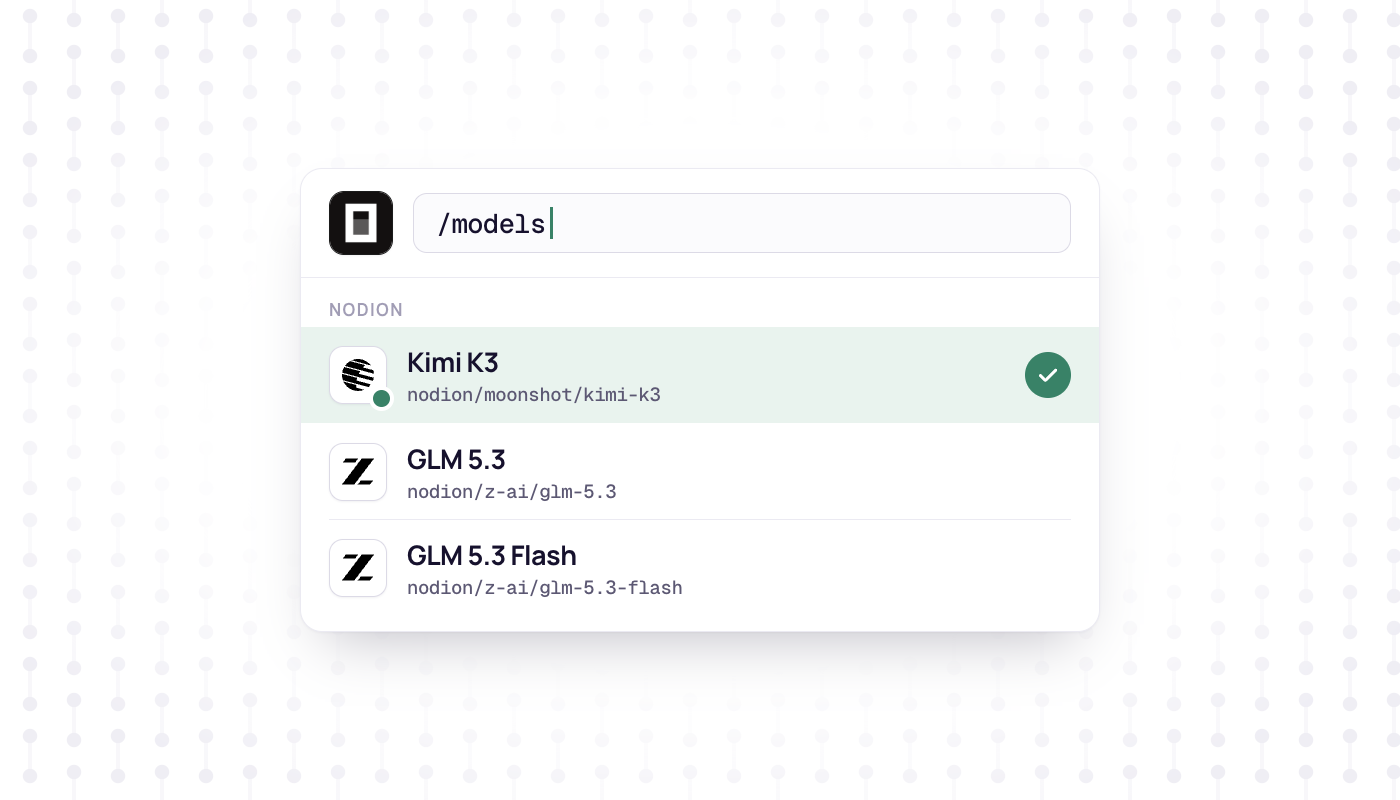
The top-level model is the default. In the TUI, /models lists your custom provider and its models. On the command line you switch with -m, opencode run works without the TUI, and opencode models nodion shows which models OpenCode knows for the provider:
opencode -m nodion/z-ai/glm-5.3
opencode run -m nodion/z-ai/glm-5.3-flash "Explain the build setup of this repo"
opencode models nodion
Sources: OpenCode CLI, models.
The three models side by side
Values from the public Nodion catalog on 29 October 2026:
| Model | Id | Context | Max output | Input | Reasoning efforts |
|---|---|---|---|---|---|
| Kimi K3 | moonshot/kimi-k3 | 1,048,576 | 32,768 | Text, image, video | low, high, max |
| GLM 5.3 | z-ai/glm-5.3 | 1,048,576 | 131,072 | Text | low, high, max |
| GLM 5.3 Flash | z-ai/glm-5.3-flash | 1,048,576 | 131,072 | Text, image, video, file | low, high, max |
All three support tools, JSON mode, structured outputs and reasoning. GLM 5.3 takes text only, so screenshots and other images need Kimi K3 or GLM 5.3 Flash. The reasoning efforts are the values the API accepts for reasoning_effort. Prices and providers are on each model's page.
Use a coding plan key
AI Coding Plans (Go, Pro and Max) pay for chat models and tools. OpenCode's requests are chat completions, so they count against the plan. The project owner buys one plan per developer and assigns it to a project member, who creates keys on that plan in AI Inference. Put that key into NODION_AI_KEY; the config stays the same.
Usage counts against a 5-hour, a weekly and a monthly window. When one is full, requests continue from the wallet only if the plan allows wallet use. Keys without a plan pay from the prepaid wallet. Details on AI Coding Plans.
Troubleshooting
- 401:
NODION_AI_KEYis not set in the shell that started OpenCode (the{env:...}value is then empty), or it holds a platform key. Use an inference key (nodion_ai_…) or a plan key. - 404
model not found: a key undermodelsis not an exact Nodion id.curl https://api.nodion.ai/v1/modelslists the ids and needs no key. - Model missing in
/models: check that it is listed underprovider.nodion.models.opencode models nodionshows what OpenCode sees. - OpenCode cannot tell how much context is left:
limit.contextandlimit.outputare missing for that model. - 402: the wallet cannot cover the request, or a spend limit was reached.
- 503: no healthy route for the model matches the project's AI settings, for example because its providers are excluded there.
Sources: AI API reference: errors and limits, AI Inference docs, AI Coding Plans.
Next steps
- Codex instead of OpenCode: Codex CLI with EU models.
- Aider, Cline and Continue: Aider, Cline and Continue with EU models.
- Every field of chat completions on Nodion: AI API reference.
- A monthly package for coding agents: AI Coding Plans.
Frequently asked questions
How do I add a custom provider to OpenCode?
Add a provider block to opencode.json with npm set to @ai-sdk/openai-compatible, options.baseURL, options.apiKey and a models map. For Nodion the base URL is https://api.nodion.ai/v1 and the key can come from {env:NODION_AI_KEY}.
How do I select a custom model in OpenCode?
Use the provider id followed by the model id, for example nodion/moonshot/kimi-k3. Set it as the top-level model, pass it with opencode -m, or pick it from the /models list in the TUI.
Why does OpenCode not know the context window of my custom model?
OpenCode fills limits for standard providers from models.dev. For a custom provider such as Nodion, set limit.context and limit.output per model in opencode.json.
Can I use an AI Coding Plan key in OpenCode?
Yes. Create a key on your Nodion AI Coding Plan and put it into NODION_AI_KEY; the config stays the same. Chat and tool usage then counts against the plan's 5-hour, weekly and monthly windows.