
Dockerfile vs Buildpacks: Which One Should You Use for Your App?
 Niklas KarolyFounder Nodion
In short
- A Dockerfile lists every build step yourself; Cloud Native Buildpacks detect your language and build the image from your source code without one.
- Buildpacks suit standard apps in supported languages and leave base image maintenance to the builder; a Dockerfile suits custom system packages, unusual stacks and full control over the image.
- Both produce a container image, so you can start with one and switch later.
- On Nodion you pick Buildpacks or Dockerfile per app: buildpacks apps listen on the PORT Nodion sets, Dockerfile apps on the port from EXPOSE or the Processes tab.
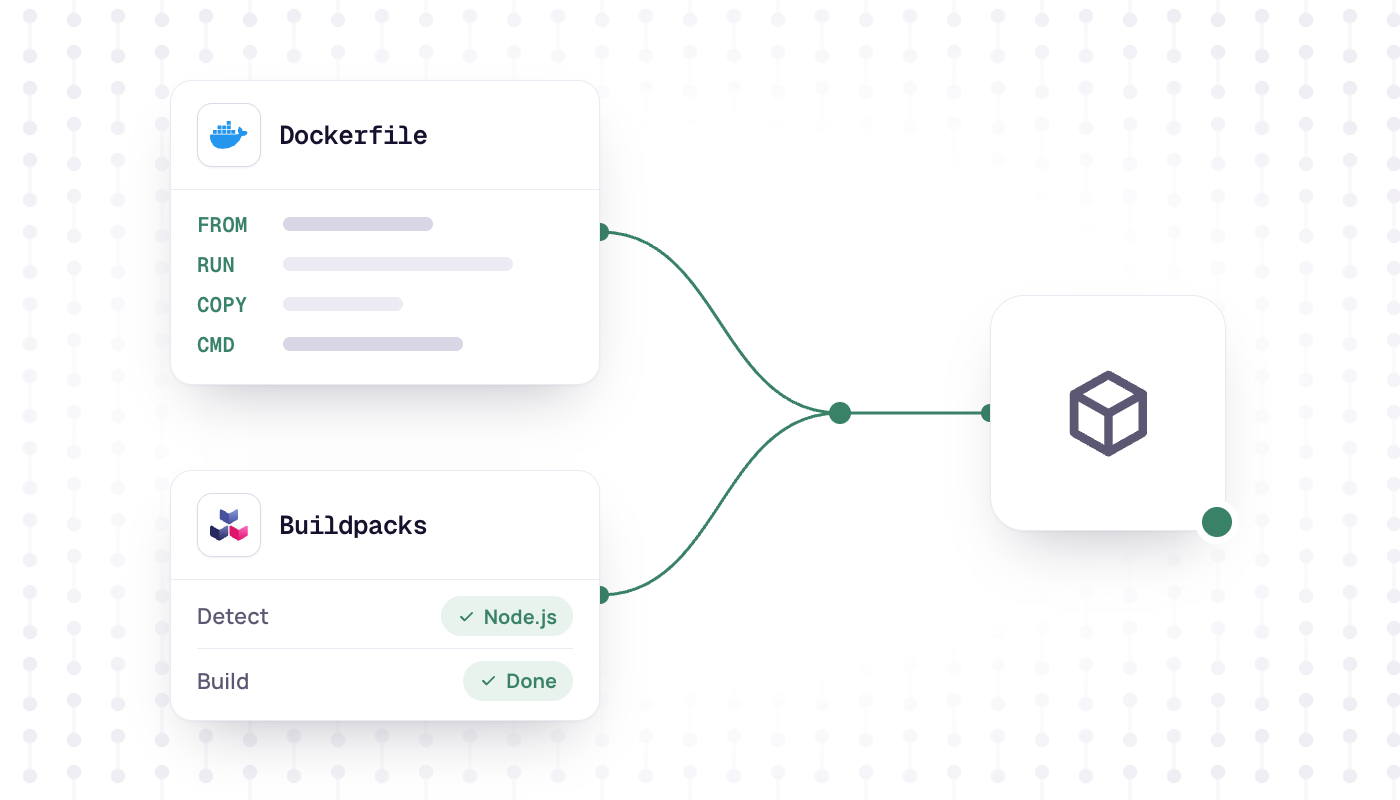
A Dockerfile and buildpacks both turn your source code into a container image. The difference is who writes the build steps: with a Dockerfile you do, with buildpacks the buildpack works them out from your code. Use buildpacks for a standard web app in a supported language, and a Dockerfile when you need full control over the image or run a stack no buildpack detects.
What a Dockerfile is
In Docker's own words, a Dockerfile is "a text document that contains all the commands a user could call on the command line to assemble an image". You pick a base image, install system packages, copy your code, install dependencies and set the start command. Every line is yours, which means full control and full maintenance.
FROM node:24-slim
WORKDIR /app
COPY package*.json ./
RUN npm ci --omit=dev
COPY . .
EXPOSE 3000
CMD ["node", "server.js"]
Two features shape how Dockerfiles are written in practice:
- Layer cache: the image is built in layers, and Docker caches them. When a layer changes, every layer after it is rebuilt too. That is why the example copies
package.jsonand installs dependencies before it copies the rest of the code. - Multi-stage builds: several
FROMinstructions in one file, each starting a new stage. You compile in one stage and copy only the result into a small final image, leaving compilers and build tools behind.
What buildpacks are
A buildpack is software that analyzes your source code and works out how to build it. Cloud Native Buildpacks are the open standard for this. A build runs through fixed phases: detect finds the buildpacks that match your code, build turns the source into runnable artifacts (for example by installing a runtime and dependencies and compiling), and export writes the final OCI image. You do not need a Dockerfile; optional files such as a Procfile or project.toml can configure the build and the processes.
Three properties set buildpacks apart:
- Separate build and run images: compilers and headers live in the build image, and the app ships on the run image without them.
- Rebase: when the run image gets an update,
pack rebasepoints the app image at the new base without rebuilding the app. - Reproducibility: the lifecycle sets layer timestamps to a fixed date, so the same source, builder and buildpacks produce the same image, as long as the buildpacks themselves produce reproducible output.
More background is in Cloud Native Buildpacks explained.
Dockerfile vs buildpacks at a glance
| Dockerfile | Buildpacks | |
|---|---|---|
| Control | Full: base image, packages, users, file layout | Within the buildpack's options: version pins, Procfile, extra packages |
| Maintenance | You update the base image and every step | The builder's maintainer updates the stack and language packs |
| Security updates | Rebuild with a patched base image; you have to notice | Builder updates bring patched base images to the next build; an existing image needs a rebuild or an explicit rebase |
| Reproducibility | Depends on how strictly you pin images and packages | Built in for the same inputs, with fixed layer timestamps |
| Build speed | Fast with a well-ordered layer cache; an early change rebuilds everything after it | Cached layers, such as dependencies, are restored between builds |
| Multi-stage | Yes, several FROM stages | Not needed: build tools stay in the build image |
| Unusual stacks | Anything you can install in an image | Only what the builder detects |
When to choose buildpacks
- Your app is written in a language the builder supports, such as Node.js, Python, Ruby, PHP, Go, Rust, Java, .NET or Elixir, or it is a static site.
- You do not want to maintain base images and OS packages yourself.
- You run many services and want them all built the same way.
- Your team knows the language, not Docker.
When to choose a Dockerfile
- You need a specific base image, system packages beyond what a buildpack installs, or a custom user.
- Your language or framework is not detected by the builder.
- The project already ships a working Dockerfile, as many open source apps do.
- You want a tiny image from a multi-stage build, or the exact same image locally, in CI and in production.
How Nodion supports both
On Applications → New you connect a Git repository and pick Buildpacks or Dockerfile. The scan prefers Dockerfile when it finds one. You can change the strategy later in Settings; it applies on the next deploy. If you build elsewhere, deploy a prebuilt image instead.
Buildpacks on Nodion
- Nodion's own Cloud Native Buildpacks on the
nodion-26stack (Ubuntu 26.04 LTS). They detect Node.js, Python, Ruby, PHP, Go, Rust, Elixir, Java, .NET and static sites. - The process runs as a non-root user. Extra Debian packages go in
project.tomlor anAptfile; their maintainer scripts do not run. - A
Procfiledefines process types, otherwise a language default sets thewebprocess. - Port: Nodion sets
PORT. Listen on it; most default commands fall back to 8080 if it is unset.
web: gunicorn myapp.wsgi --bind 0.0.0.0:$PORT
worker: python worker.py
Dockerfile on Nodion
- The base directory is the build context, and a
.dockerignorethere is honored. - Multi-stage files work. There is no stage picker, so the final stage is what runs.
- Environment variables marked Build are passed as build args (
ARG). BuildKit secrets are not wired. - Port: Nodion does not set
PORTon a Dockerfile app. Bind to the port on the web process, which is prefilled fromEXPOSEand can be changed on the Processes tab; if that list is empty, Nodion uses the image'sEXPOSE, then 8080. Listen on all interfaces, not only localhost. - Health check: readiness is an HTTP GET to the health check path in Settings (default
/). A 2xx or 3xx response is healthy. AHEALTHCHECKin the image is ignored. - The image's
USERis honored.
The full details are in the buildpacks docs and the Dockerfile docs. Not sure yet? Start with buildpacks, and add a Dockerfile the day you need something they cannot do.
Frequently asked questions
Do I need a Dockerfile to deploy a container?
No. Buildpacks build a container image straight from your source code, without a Dockerfile in the repository. You can also deploy a prebuilt image from a registry.
Are buildpacks better than a Dockerfile?
Neither is better in general. Buildpacks need less maintenance for standard apps in supported languages, while a Dockerfile gives you full control over the image and works for any stack.
Can I use a multi-stage Dockerfile on Nodion?
Yes. Multi-stage Dockerfiles work. There is no stage picker, so the final stage is the image that runs.
Which port should my app listen on?
With buildpacks, listen on the PORT environment variable that Nodion sets. With a Dockerfile, Nodion does not set PORT: bind to the port on the web process, taken from EXPOSE or set on the Processes tab, and listen on all interfaces.