
What are Cloud Native Buildpacks? Simplifying Application Packaging and Deployment
 Niklas KarolyFounder Nodion
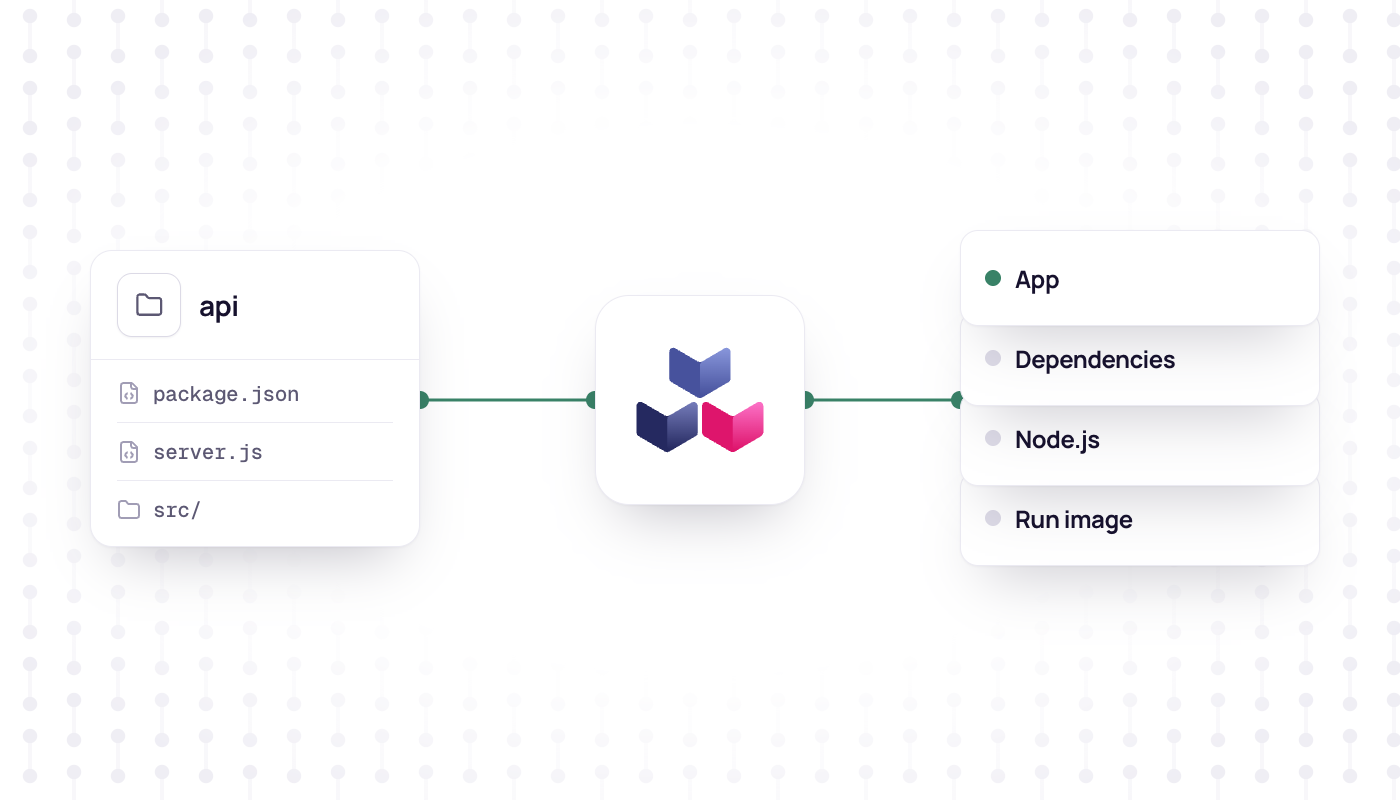
In short
- Cloud Native Buildpacks turn application source code into a container image without a Dockerfile.
- A build detects the language, installs the runtime and dependencies, builds the app and exports an image.
- Buildpacks started at Heroku in 2011; Cloud Native Buildpacks are an open standard under the CNCF.
- Nodion builds apps with Cloud Native Buildpacks, and the pack CLI reproduces such builds locally; the current stack is in the buildpacks docs.
In the fast-paced world of software development, the need for streamlined application packaging and deployment has become increasingly crucial. One technology that has gained significant traction in recent years is Cloud Native Buildpacks. Whether you're a seasoned developer or new to the concept, this blog post aims to demystify buildpacks, explain their purpose, and shed light on how they work.
What are Buildpacks?
At their core, buildpacks are a set of scripts and metadata that automate the process of building container images. They analyze your application's source code, detect the necessary dependencies, and create a container image that encapsulates your application and its dependencies in a standardized and reproducible manner.
Buildpacks are designed to address the challenges associated with traditional build and deployment processes. They eliminate the need for manual configuration and ensure consistency across different environments. By automating the build process, buildpacks streamline the packaging and deployment of applications, making it easier for developers to focus on writing code rather than managing complex deployment pipelines.
The Evolution: From Heroku to Cloud Native Buildpacks
Buildpacks originated from the Heroku platform, which introduced the concept back in 2011. Heroku buildpacks simplified the deployment of applications by automatically detecting and provisioning the necessary runtime and dependencies based on the application's code.
Over time, the concept of buildpacks evolved and gained wider adoption, leading to the development of Cloud Native Buildpacks (CNB). CNBs are an open standard and are now maintained by the Cloud Native Computing Foundation (CNCF). They have become a popular choice for building and deploying cloud-native applications due to their flexibility, portability, and community support.
How Do Cloud Native Buildpacks Work?
Cloud Native Buildpacks take a declarative approach to building container images. Instead of manually specifying every step of the build process, buildpacks leverage a set of pre-defined buildpacks that are responsible for different stages of the build process.
Here's a high-level overview of how Cloud Native Buildpacks work:
- Detection: The buildpacks analyze your application's source code and metadata to determine its requirements and characteristics. This includes identifying the programming language, framework, and any specific dependencies your application needs.
- Dependency Resolution: Based on the detected requirements, the buildpacks fetch and provision the necessary runtime and dependencies. This ensures that your application has the correct versions of libraries, tools, and other dependencies it needs to run successfully.
- Building and Packaging: The buildpacks compile your application's source code, running any necessary build commands or tasks specific to your application's technology stack. They create a container image that includes the application code, runtime, and dependencies, all packaged and configured appropriately.
- Image Optimization: Cloud Native Buildpacks also optimize the container image for production use. This includes removing any unnecessary build artifacts, minimizing the image size, and applying best practices for security and performance.
By automating these steps, Cloud Native Buildpacks provide a consistent and reliable process for building container images across different development environments. They promote a "batteries-included" approach, where the buildpacks encapsulate the knowledge and logic required to build applications of various types, freeing developers from manually managing these details.
Key Benefits of Cloud Native Buildpacks
Using Cloud Native Buildpacks offers several advantages for developers and organizations:
Simplified Workflow
Cloud Native Buildpacks streamline the build and deployment process, reducing the time and effort required to package applications. Developers can focus on writing code without having to worry about intricate build configurations and dependencies.
Portability
Buildpacks provide a standardized and portable way to package applications. They abstract away the underlying infrastructure and provide a consistent deployment experience across different environments and cloud platforms.
Improved Security and Compliance
Cloud Native Buildpacks follow best practices for security and compliance. They ensure that applications are built with the latest dependencies and patches, minimizing the risk of vulnerabilities. Buildpacks also provide transparency and traceability, making it easier to track the origin and contents of each container image.
Developer Productivity
By automating the build process, Cloud Native Buildpacks empower developers to be more productive. They eliminate manual steps, reduce configuration overhead, and provide a straightforward way to manage dependencies, allowing developers to focus on writing code and delivering value.
Ecosystem and Community Support
Cloud Native Buildpacks benefit from a vibrant ecosystem and community. There are numerous pre-built buildpacks available for popular programming languages, frameworks, and tools. The community actively maintains and contributes to the buildpacks, ensuring they stay up to date with the latest industry standards and best practices.
Getting Started with Cloud Native Buildpacks
To start using Cloud Native Buildpacks, you'll need a compatible buildpack implementation or platform. Platforms like Nodion provide integrated support for Cloud Native Buildpacks, making it easy to leverage their benefits.
While Buildpacks are integrated in the Nodion platform and managed through our application settings, you can also emulate locally what we are doing on the server side. For this you can simply use the Pack CLI tool. Pack will simply build a docker container from the source code directory you point it to.
By following these steps, you can leverage the power of Cloud Native Buildpacks to simplify your application's build and deployment process.
Embrace the Power of Cloud Native Buildpacks
Cloud Native Buildpacks have emerged as a valuable tool for modern application development and deployment. They automate the build process, reduce complexity, and provide a consistent way to package and deploy applications across different environments.
By adopting Cloud Native Buildpacks, developers and organizations can unlock benefits such as streamlined workflows, improved portability, enhanced security, and increased developer productivity. With the support of a vibrant community and growing ecosystem, Cloud Native Buildpacks are set to play a pivotal role in the future of application packaging and deployment.
Embrace the power of Cloud Native Buildpacks and experience a simplified approach to application packaging and deployment today!
Frequently asked questions
What are Cloud Native Buildpacks?
An open standard, maintained under the Cloud Native Computing Foundation (CNCF), for turning source code into a container image. A buildpack detects what the code needs, installs the runtime and dependencies, builds the app and exports a runnable image.
What is the difference between a buildpack and a Dockerfile?
With a Dockerfile you write and maintain every build step yourself. A buildpack works out the steps from your source code, so you do not need a Dockerfile; optional files such as a Procfile can still configure the build and processes.
Does Nodion use Cloud Native Buildpacks?
Yes. Buildpacks are integrated into Nodion and managed in the application settings. The buildpacks docs describe the current stack and the supported languages.
Can I build with buildpacks locally?
Yes. The pack CLI builds a container image from a source directory with the same lifecycle a platform uses.