
What Is MCP? The Model Context Protocol Explained
 Niklas KarolyFounder Nodion
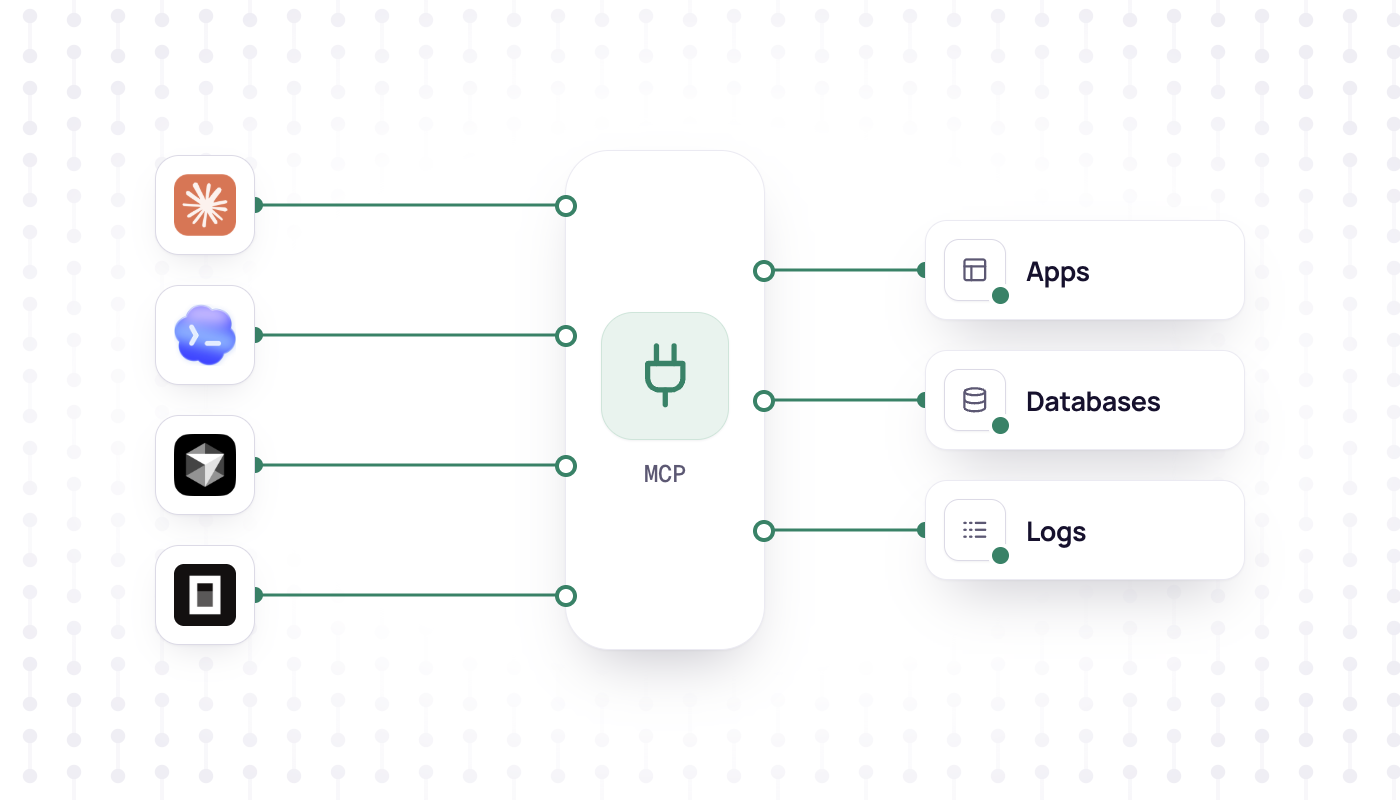
In short
- The Model Context Protocol (MCP) is an open protocol that connects AI applications to external tools and data; Anthropic introduced it on November 25, 2024, and donated it to the Linux Foundation's Agentic AI Foundation in December 2025.
- A host such as Claude Code runs one MCP client per server, and servers offer tools, resources and prompts over stdio (local) or Streamable HTTP (remote).
- The specification says hosts must obtain explicit user consent before invoking a tool, so confirm write actions and give each server a key with only the scopes it needs.
- Nodion hosts a remote MCP server at mcp.nodion.net/mcp that lets coding agents deploy and manage apps; setup is on Connect Nodion to your agent.
MCP, the Model Context Protocol, is an open protocol that connects AI applications to external tools and data in a standard way. A service describes what it offers once, as an MCP server, and compatible clients can use it, from Claude Code and Cursor to Codex and VS Code, as long as they support its transport, authorization and protocol version. Anthropic introduced MCP on November 25, 2024. In December 2025 it donated the protocol to the Agentic AI Foundation, a directed fund under the Linux Foundation.
The problem MCP solves
A language model only knows what is in its context. To read a ticket, query a database or start a deployment, an AI application needs an integration with that system. Before MCP, every application built its own. In Anthropic's words: "Every new data source requires its own custom implementation, making truly connected systems difficult to scale."
MCP replaces those one-off integrations with a single protocol. A service implements one MCP server, an AI application implements MCP clients, and each side works with compatible counterparts, subject to their supported transport, authorization, version and features. The specification says it takes inspiration from the Language Server Protocol, which standardized support for programming languages across development tools. By December 2025, Anthropic listed ChatGPT, Cursor, Gemini, Microsoft Copilot and Visual Studio Code among the products that had adopted MCP.
Hosts, clients and servers
- Host: the AI application you work in, such as Claude Code, Claude Desktop or VS Code. It coordinates one or more clients.
- Client: a component inside the host that keeps the connection to one server. The host creates one client per server.
- Server: the program that provides tools and context. It runs on your machine (a local server) or as a service on the internet (a remote server).
Client and server exchange JSON-RPC 2.0 messages. When you connect Claude Code to Nodion, Claude Code is the host, it runs one client for that connection, and Nodion's hosted MCP server answers.
What a server offers: tools, resources and prompts
- Tools: functions the model can call to act, such as an API call or a database query. Each tool has a name, a description and a JSON Schema for its input. Tools are model-controlled: the model decides when to call one, based on your request.
- Resources: data that gives the model context, such as file contents, database records or API responses.
- Prompts: reusable templates for working with the model, such as a system prompt or few-shot examples.
The client discovers tools with tools/list and runs one with tools/call. This is the call from the specification, without the metadata that every request carries:
{
  "jsonrpc": "2.0",
  "id": 2,
  "method": "tools/call",
  "params": {
    "name": "get_weather",
    "arguments": { "location": "New York" }
  }
}
A server can also ask the user for input. With elicitation, the server answers a request with a result that says it needs more information; the client asks the user and sends the request again with the answer. In the current revision servers do not start requests on their own.
Transports: stdio and Streamable HTTP
MCP specifies two standard transports, and custom transports are allowed too:
- stdio: the host starts the server as a local process and talks to it over standard input and output. This suits tools that work on your machine, such as a file system server. A local server usually serves a single client.
- Streamable HTTP: the client sends messages with HTTP POST, and the server can stream answers with Server-Sent Events. Remote servers use it. It supports standard HTTP authentication such as bearer tokens, API keys and custom headers, and the protocol recommends OAuth to obtain tokens.
The current revision of the specification is dated 2026-07-28. In it the protocol is stateless: every request carries the protocol version and capabilities it needs, so a server can handle each request on its own. The revision also describes optional extensions such as Tasks and MCP Apps; the details are in the specification.
Why MCP matters for coding agents
Coding agents already read, write and test the code in your repository. Much of the work around that code happens in other systems: the issue tracker, the database, the error monitor and the hosting platform. MCP lets the agent work in those systems too.
- One integration for many agents: a service that ships an MCP server works with compatible clients such as Claude Code, Cursor and Codex, without a separate plugin for each, as long as they support its transport, authorization and features.
- Plain-language requests: tool names, descriptions and input schemas tell the model what it can do, so "show me the latest errors" turns into the right tool call.
- Nothing to install for remote servers: a hosted server only needs its URL plus a key or a sign-in.
Security: what to check before you connect a server
MCP gives a model access to real systems, and the specification is direct about it: tools represent arbitrary code execution, and hosts must obtain explicit user consent before invoking any tool. In practice:
- Confirm write actions. Keep a human in the loop: the specification asks applications to show which tools are exposed and to prompt for confirmation, and your client's permission settings decide whether it does. Do not rely on a server-side flag that the agent itself can set.
- Use least-privilege keys. Give each server a credential with only the scopes it needs, and use one key per agent so you can revoke it on its own. The specification's security guidance calls this scope minimization.
- Connect trusted servers only. Clients have to treat tool descriptions and annotations as untrusted unless they come from a trusted server.
- Check local servers. A local server runs with the same privileges as the client that starts it. Read the exact command before you add one.
- Keep secrets out of the chat. Tokens belong in the client configuration, not in a prompt.
Nodion's hosted MCP server
Nodion hosts a remote MCP server at https://mcp.nodion.net/mcp. Your agent uses the same account you use in the dashboard, and there is no local daemon to install. Once connected, you ask in plain language: create a project, deploy an app from the current repository, attach a database, set environment variables, read logs and check that a release is live. Whether you are asked before each tool call depends on your client's permission settings. Nodion also requires an explicit confirm flag on write tools for personal keys, but the agent sets that flag, so it does not replace a human review.
Claude Code connects with one command and a personal key from Account → Security:
claude mcp add nodion --transport http https://mcp.nodion.net/mcp \
  --header "Authorization: Bearer nodion_your_key"
Personal keys carry scopes such as read, write, deploy, env:read and logs:read, and you can limit a key to specific projects. An agent that should only investigate errors does not need write or deploy.
Cursor uses the same kind of key. Claude Desktop, ChatGPT and Codex connect with OAuth instead: you sign in on the Nodion authorize page and bind one or more projects. Secrets stay in the dashboard, and the connection does not collect passwords or environment values in chat. Windsurf, Zed, VS Code Copilot and OpenCode use the same server URL, https://mcp.nodion.net/mcp.
Setup for every client is on Connect Nodion to your agent, and the full reference is in the MCP docs.
Frequently asked questions
What is MCP in AI?
MCP, the Model Context Protocol, is an open protocol for connecting AI applications to external tools and data. A server describes its tools, resources and prompts, and compatible hosts such as Claude Code or Cursor can use them when they support its transport, authorization and required features.
Who created the Model Context Protocol?
Anthropic introduced MCP as an open standard on November 25, 2024. In December 2025 Anthropic donated it to the Agentic AI Foundation, a directed fund under the Linux Foundation.
What is the difference between an MCP server and an API?
An API is a service's own interface. An MCP server describes actions in a standard format, with a name, a description and an input schema for each tool, so compatible MCP clients can discover and call them without custom integration code.
Is MCP safe to use?
That depends on the servers you connect and the access you give them. The specification requires explicit user consent before a tool runs; connect only trusted servers, read each confirmation for write actions and use keys with the narrowest scopes.