
Switch to an OpenAI-Compatible API with EU-Only Routing
 Niklas KarolyFounder Nodion
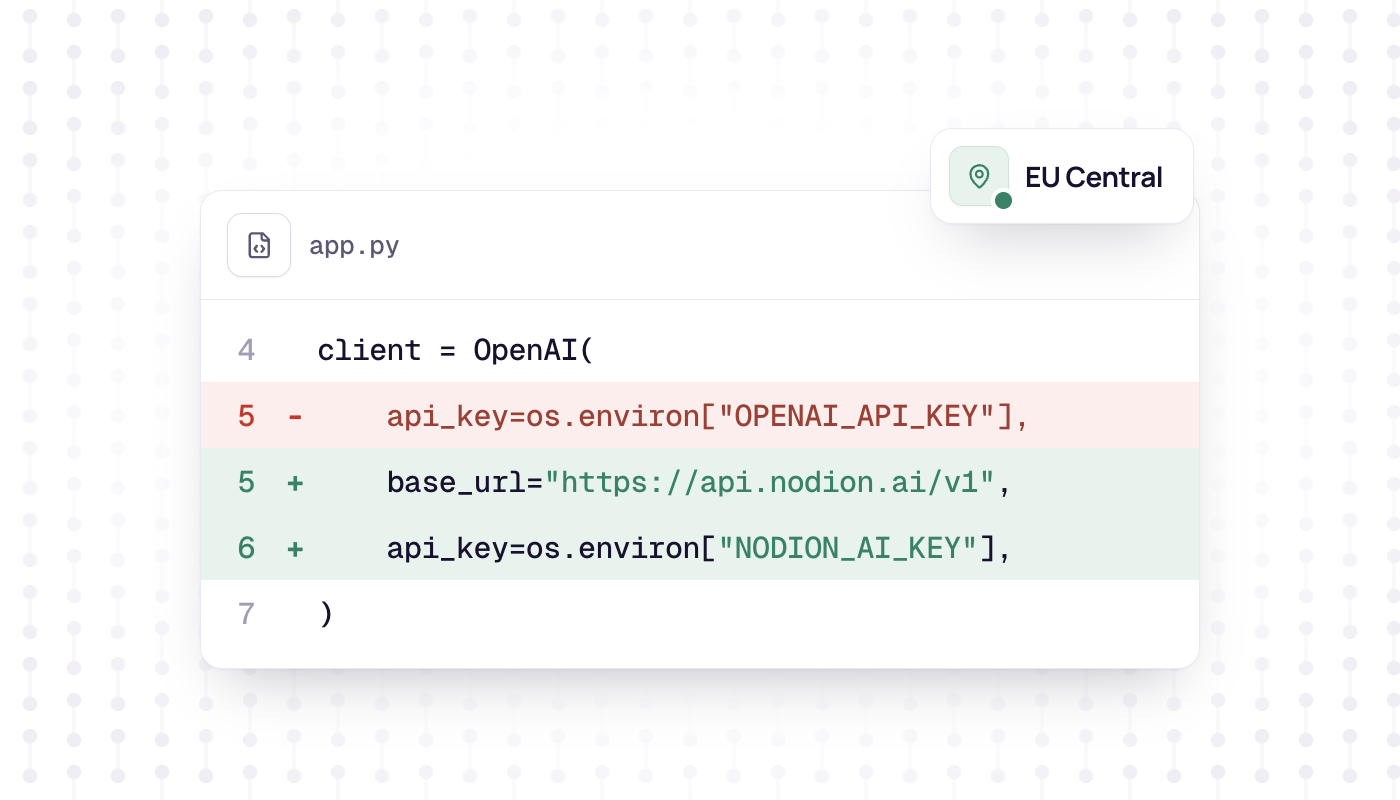
In short
- Nodion AI Inference at https://api.nodion.ai/v1 follows the OpenAI API shape, so for supported calls the official OpenAI SDKs work after you change the base URL, the API key and the model ID.
- The API covers chat completions, embeddings, rerank, OCR, speech to text, text to speech, image generation, web tools and System One decisions.
- Each project can restrict which regions may serve its requests and turn on zero data retention on the Settings tab of AI Inference.
- Usage is billed per token, or per page, second, character, image or call (web_search also per fetched page), from a prepaid wallet; models and prices are listed on AI Inference.
If your code already calls the OpenAI API, moving supported calls such as chat completions to Nodion AI Inference takes three changes: the base URL, the API key and the model ID. The API at https://api.nodion.ai/v1 follows the OpenAI shape, so the official OpenAI SDKs for Python and Node.js keep working. Check that the endpoints and features you use are supported before you move other calls.
Nodion AI Inference comes from Nodion GmbH in Germany, bills per token from a prepaid wallet and keeps keys, usage and privacy settings in the same project as your app. Some models run on Nodion, others are routed to a provider. To keep processing in the EU and require zero data retention, set an EU-only region allowlist and the zero data retention policy on the project, as shown below.
What you need
- A Nodion account and a project. Open AI Inference in that project.
- An inference key from the Keys tab. Inference keys start with
nodion_ai_and are shown once. Keys for the Nodion platform API do not work here. - Credit in the wallet. Top it up by card or PayPal on the Billing tab.
Option 1: change two environment variables
Both OpenAI SDKs read the base URL and the key from the environment when you create the client without arguments. If your code calls OpenAI() in Python or new OpenAI() in Node.js, set these two variables, change the model ID to a Nodion model, and leave the rest of the code as it is:
OPENAI_BASE_URL=https://api.nodion.ai/v1
OPENAI_API_KEY=nodion_ai_your_key
Option 2: change the settings in code
If you pass the settings in code, add the base URL and swap the key. Python:
import os
from openai import OpenAI

client = OpenAI(
    base_url="https://api.nodion.ai/v1",
    api_key=os.environ["NODION_AI_KEY"],
)
reply = client.chat.completions.create(
    model="<model>",
    messages=[{"role": "user", "content": "Hello"}],
)
print(reply.choices[0].message.content)
Node.js:
import OpenAI from "openai";

const client = new OpenAI({
  baseURL: "https://api.nodion.ai/v1",
  apiKey: process.env.NODION_AI_KEY,
});
const reply = await client.chat.completions.create({
  model: "<model>",
  messages: [{ role: "user", content: "Hello" }],
});
console.log(reply.choices[0].message.content);
Streaming, tool calls, JSON mode and structured output use the same SDK calls as before, as long as the model supports them.
Pick a model
The model value is the one thing left to change, because Nodion uses its own model ids. One call lists them, and it needs no key:
curl https://api.nodion.ai/v1/modelsEach entry has the id to send as model, its kind (chat, embeddings or rerank), the context and output length, the price per token in USD and EUR, and supported_features such as tools, json_mode, structured_outputs or reasoning. The serving field says whether the weights run on Nodion (hosted) or the request is forwarded to a provider (routed).
OCR, speech, image and tool models are not in that list. The full catalog with prices is on AI Inference and on the Models tab in the dashboard. Models marked Preview can leave the catalog at short notice.
Which endpoints exist
These are the main endpoints on api.nodion.ai/v1; the full list is in the API reference.
| Endpoint | What it does | Billed by |
|---|---|---|
GET /v1/models | List chat, embeddings and rerank models | Free |
POST /v1/chat/completions | Chat, tools, structured output | Input and output tokens |
POST /v1/embeddings | Vector embeddings | Input tokens |
POST /v1/rerank | Rank documents against a query | Input tokens |
POST /v1/systemone | System One: typed decisions with probabilities | Input tokens |
POST /v1/ocr | Document and image OCR | Pages |
POST /v1/audio/transcriptions, plus a realtime WebSocket | Speech to text | Audio seconds |
POST /v1/audio/speech | Text to speech | Characters |
/v1/audio/voices | List, create, read and delete cloned voices | Free |
POST /v1/images/generations | Image generation | Images |
POST /v1/tools/web_search, web_news, web_fetch, web_images, web_videos, web_places, web_maps, web_shopping, web_lens | Web tools | Calls; web_search also per fetched page |
What works differently
- Output length: without
max_tokens, the gateway sets it to the model's maximum output length. Larger values are lowered to it. - Usage in streams: the gateway turns on
stream_options.include_usage, so the last chunk normally carries the token counts. - PDFs: send them inline as a
filecontent block with a base64 data URI. The first 20 pages are rendered to images, so this needs a model with image input.file_idreferences are rejected. - Images: image generation returns
b64_jsononly, no URLs. - Errors: the OpenAI error envelope, with 402 when the wallet cannot cover a request and 429 when a key limit is hit. Every response carries an
X-Request-IDheader to quote to support. - Limits: by default 300 requests and 2,000,000 tokens per minute and 10 concurrent requests per key. Contact support if you need more.
Privacy: zero data retention and regions per project
The Settings tab of AI Inference controls how a project's requests are served:
- allow or exclude providers,
- an optional region allowlist that restricts which regions may serve the project,
- policy toggles such as zero data retention.
The settings apply to the project, so they cover every key in it. If no healthy route for a model matches them, the request fails with a 503. Keep projects with different privacy needs apart, for example one for customer data and one for internal experiments.
Billing: a prepaid wallet, per token
AI spend comes from a prepaid wallet, separate from the monthly platform invoice. You top it up by card or PayPal on the Billing tab, or turn on auto top-up.
- Chat is billed on input and output tokens at the model's price, and cached input at the cache price where the route reports it.
- Embeddings, rerank and System One are billed on input tokens. OCR is billed per page, speech to text per audio second, text to speech per character, images per image and web tools per call, with
web_searchalso billed for each page it fetches. - Before a call the wallet holds an upper bound of its cost. The request then settles on the reported usage, never above the hold, and the rest is released.
- Each key can have a daily spend limit, and you can set a monthly spend limit on the Billing tab.
Prices per model are listed on AI Inference, not on the platform price list.
Next steps
- Every endpoint with examples, limits and error codes: AI API reference.
- Keys, wallet and the dashboard tabs: AI Inference docs.
- Try a model before you switch: the Playground tab runs chat and other modes. Playground traffic is metered like any other request.
- Want your coding agent to manage apps and databases instead? That is MCP with a platform key, not an inference key.
Frequently asked questions
Does the OpenAI SDK work with Nodion AI Inference?
Yes. The API follows the OpenAI shape, so for supported calls the official Python and Node.js SDKs work when you set the base URL to https://api.nodion.ai/v1, use a Nodion inference key and a Nodion model ID. Check endpoint and feature support before you move other calls.
How do I change the base URL of the OpenAI Python SDK?
Pass base_url="https://api.nodion.ai/v1" and your key to OpenAI(), or set the OPENAI_BASE_URL and OPENAI_API_KEY environment variables, which the SDK reads when you pass no arguments.
Can I restrict where my AI requests are processed?
Yes, per project. The Settings tab of AI Inference has an optional region allowlist, provider controls and a zero data retention toggle. If no healthy route matches these settings, the request fails with a 503.
How is Nodion AI Inference billed?
From a prepaid wallet that you top up by card or PayPal, separate from the platform invoice. Chat is billed per input and output token at the model's price; other endpoints bill by page, audio second, character, image or call, and web_search also per fetched page.